Click a card. Teach a scraper.
Select a profile image, card or link. Find matching profiles, choose fields on one example, then repeat across the rest.
Directories · Products · Clickable cards
 Local Scraper Studio
Click a profile card. Choose the fields you need. Collect matching data across directories, Google Maps and other websites, then export it from Chrome.
Version 1.3.1 features · Chrome Web Store release pending
Select. Preview. Collect. Export.
TRAIN ONCE. REUSE YOUR SETUP.
Choose a guided training flow or an extraction tool. Pick every field yourself and save a setup for each website layout.
Select a profile image, card or link. Find matching profiles, choose fields on one example, then repeat across the rest.
Collect business links from a Maps search, open one example and manually choose which visible values become columns.
Extract repeated cards, lists and tables. Edit fields, preview values and keep the columns you need.
Choose fields on a detail page, then reuse the setup across pasted URLs, a CSV column or links from history.
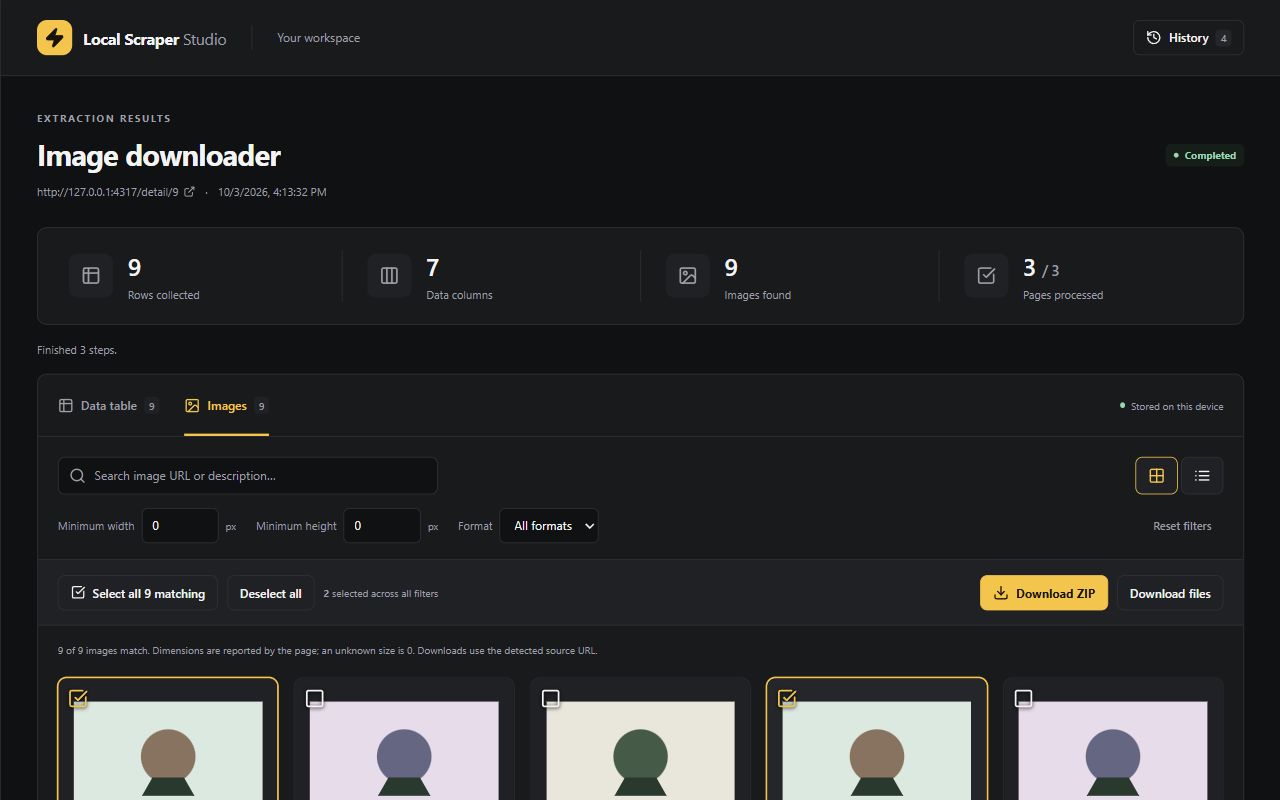
Find page images, filter by dimensions and format, select your collection and download files or a ZIP.
Gather visible email addresses and nearby context, with duplicates removed and source pages included.
A CLOSER LOOK
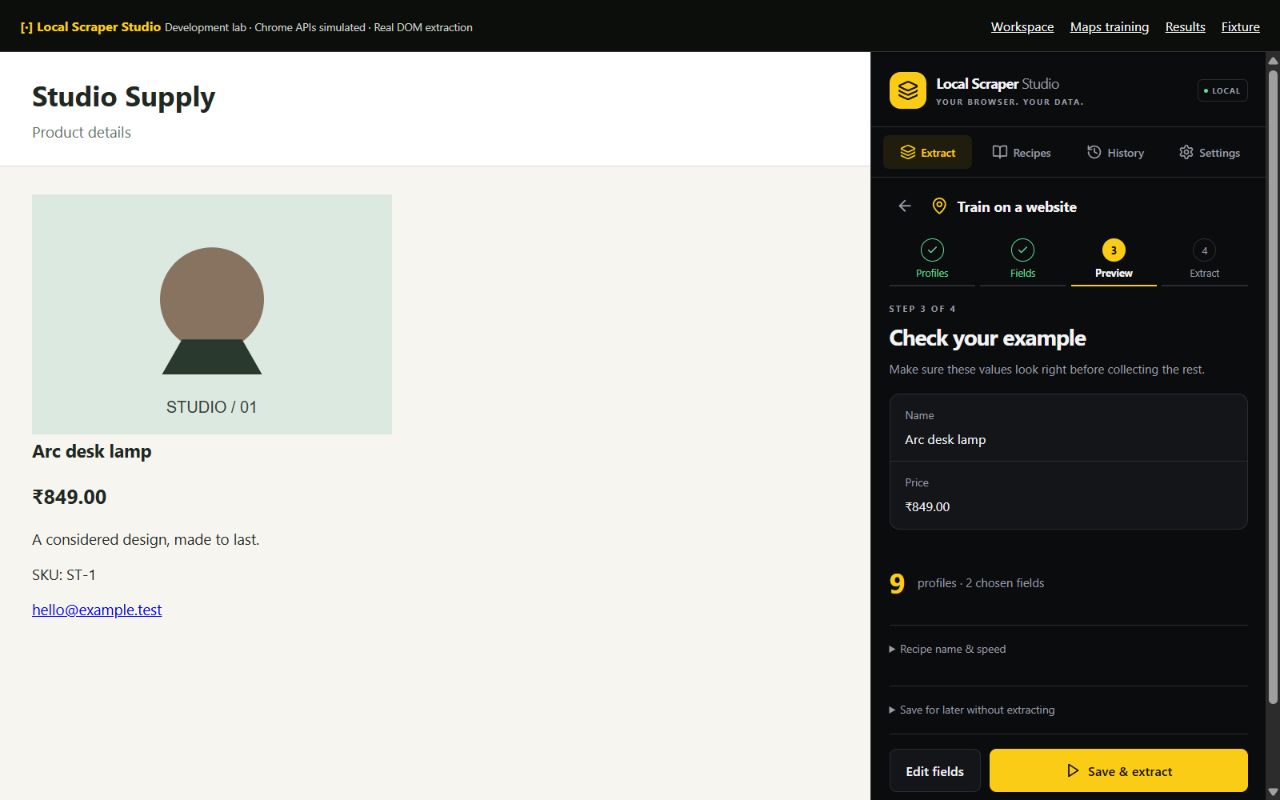
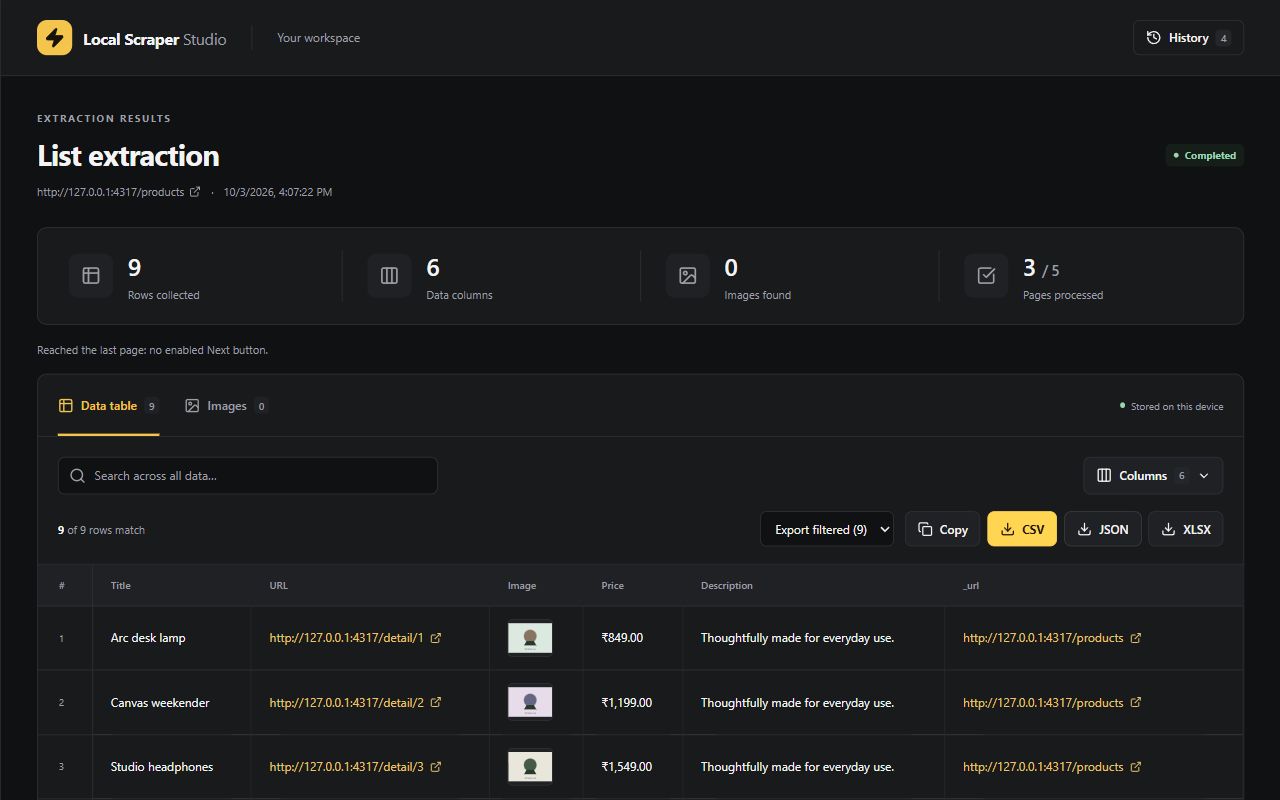
Set up extraction in the side panel, then review the output in a dedicated results workspace.
FROM FIRST CLICK TO EXPORT
Click a profile card, image or link. Collect the current page, follow Next / Load More, or scroll for more results.
Open one example. Click each value you need and name its column. You choose every field.
Review the example before starting. Different directory layouts can have their own saved recipes.
Save & extract, watch progress, then export CSV, Excel or JSON. Reopen your recipe for the next collection.
LOCAL BY DESIGN
Recipes, results and settings are stored locally. The extension does not send extracted datasets to the developer or an analytics service. Page navigation and image requests still contact the websites you choose.
Read the privacy policy ↗Keep useful data close to your workflow, and export it when you are ready.
GOOD TO KNOW
Training saves the page structure used to locate your chosen fields. It is not an AI model or a recording of arbitrary actions. JavaScript cards that open a profile in the same tab can be visited to discover their URLs. Popup-only or new-window cards need a direct profile link. Use a separate recipe when a directory has a different layout.
Current page only reads what the website has loaded. To include later results, choose Follow Next / Load More and pick the website’s button, or choose scrolling. Collection is bounded by the limits you set and the results the website exposes.
Website structures vary, so selectors and delays may need adjustment. Browser-internal pages, the Chrome Web Store, inaccessible frames and closed shadow roots are not supported. The extension does not bypass access controls or CAPTCHAs.
Tables can be exported as CSV, Excel or JSON. Image collections support individual downloads and ZIP archives. Some authenticated or hotlink-protected images may not be downloadable.
The extension has been submitted for Chrome Web Store review. This page will link to the public listing when it is available. Chrome 116 or newer is required.
Results remain in extension storage in your Chrome profile until deleted or removed by your history retention settings. Uninstalling removes extension storage. Files you have exported remain on your device.
SUPPORT
Send your extension version and a short description of the issue.
Please avoid attaching sensitive extracted data.